# User Authorization
Authorization is a necessary condition for users to access the internet.
---
#### General Information
There are several authorization methods that you can find in this subsection.
All types of authorizations on SafeUTM are IP-based (based on the host IP address) and any authorization session is bound to the IP of the host from which it was installed. Simultaneous authorization of up to five devices is possible under one user account (by dynamic authorization methods, web, Kerberos/NTLM, security logs of Active Directory domain controllers, and VPN).
The user is automatically logged out when inactive (no internet connections) for 15 minutes (except connections via VPN).
Keep in mind, that the operating system itself can also generate traffic (for example Windows telemetry) without user intervention. Because of this, the timeout for the user will be constantly reset and will not be able to function correctly.
You can change the time of automatic logout using the settings **Disconnection timeout** by going to **Users -> Authorization**:
[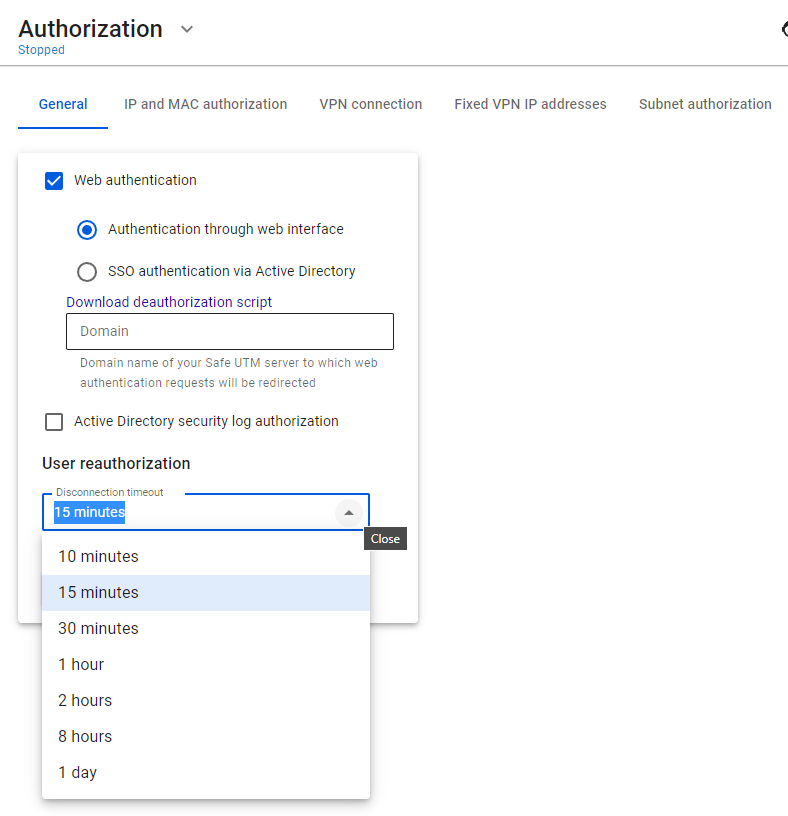](https://docs.safedns.com/uploads/images/gallery/2022-08/yV71Dl3RJbFl42rA-1-user-authorization.png)
For the new timeout to be applied, you need to reboot SafeUTM.
You can also authenticate users connecting via VPN using [**IPSec IKEv2**](https://docs.safedns.com/books/42-setup-users/page/ipsec-ikev2), [**SSTP**](https://docs.safedns.com/books/42-setup-users/page/sstp), [**L2TP IPSec**](https://docs.safedns.com/books/42-setup-users/page/l2tp-ipsec), [**PPTP**](https://docs.safedns.com/books/42-setup-users/page/authorization-by-pptp), and [**PowerShell scripts**](https://docs.safedns.com/books/42-setup-users/page/instructions-for-running-powershell-scripts).