The settings for connecting users (client-to-site VPN) are described in the article [**VPN connection L2TP IPsec**](https://docs.safedns.com/books/42-setup-users/page/l2tp-ipsec).
--- #### Allow remote users to connect via L2TP/IPsec protocol 1\. Go to **Users -> VPN connections**. 2\. Check the item **L2TP/IPsec** **connection**. Unchecking the box disables all users connected via L2TP/IPsec and makes their connection impossible. [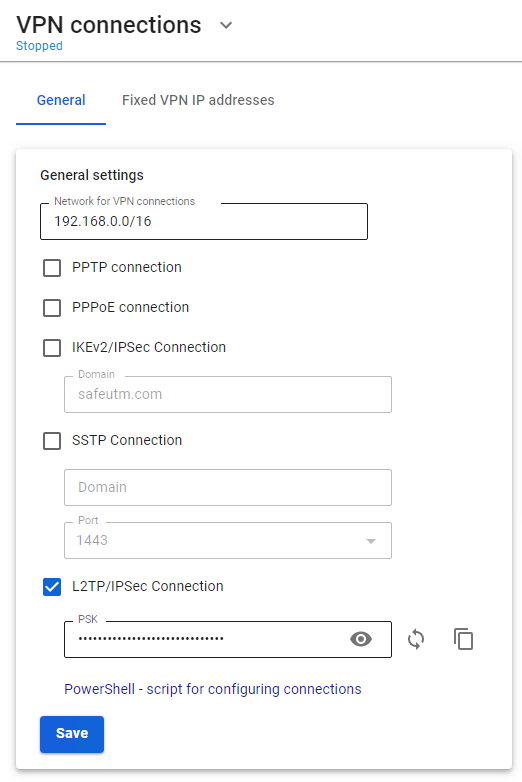](https://docs.safedns.com/uploads/images/gallery/2022-09/0DGgWmHVBawioihk-1-connecting-users.png) 3\. Change the default PSK. The pre-shared key is a line that will need to be entered in the L2TP/IPsec connection settings on end devices.When changing the Pre-shared key, all remotely connected users will be disconnected. To restore connectivity, specify a new PSK on remote user devices.