A static IP address must be configured on the local SafeUTM interface participating in the distribution of addresses.
--- #### Configuring Server In order to configure DHCP for the local interface, you need to go to **Services -> DHCP server** and click **Add**. As a rule, the SafeUTM server is the gateway and DNS server for all LAN network devices, so in most cases, the service configuration is limited to determining the range of IP addresses. If necessary, you can specify DNS servers, static routes, and WINS server addresses. The list of DHCP server parameters can be seen in the table below: \*If [**DNS interception**](https://docs.safedns.com/link/91#bkmrk-interception-of-dns-) is configured on SafeUTM, then name resolution will be performed using the server specified in the DNS interception settings.If you set the checkbox in the **Issue IP addresses specified in authorizations via IP without MAC** checkbox, then IP addresses (with the exception of the rule with IP+MAC) used as a user authorization factor ([**Authorization**](https://docs.safedns.com/books/42-setup-users/page/user-authorization) section) will be issued by the DHCP server.
An example of configuring a DHCP server is shown in the screenshot below: [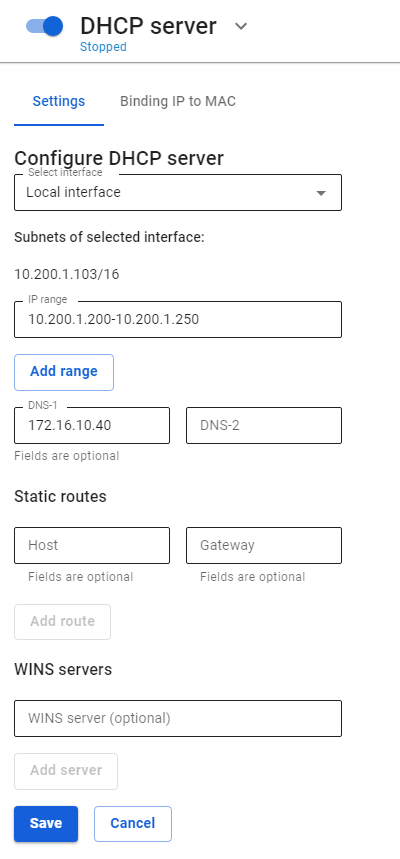](https://docs.safedns.com/uploads/images/gallery/2022-09/eansowNyB5VSYagd-1-dhcp.png)If no value is specified in the DNS-1 or DNS-2 field, then the DNS server will be SafeUTM for all network devices on the local network.
You can enable/disable, edit or delete rules for issuing IP addresses using control buttons in the **Operations** column. Also, when using a DHCP server, do not forget to move the slider at the top of the screen near the inscription **DHCP server** to the **Enabled** position. [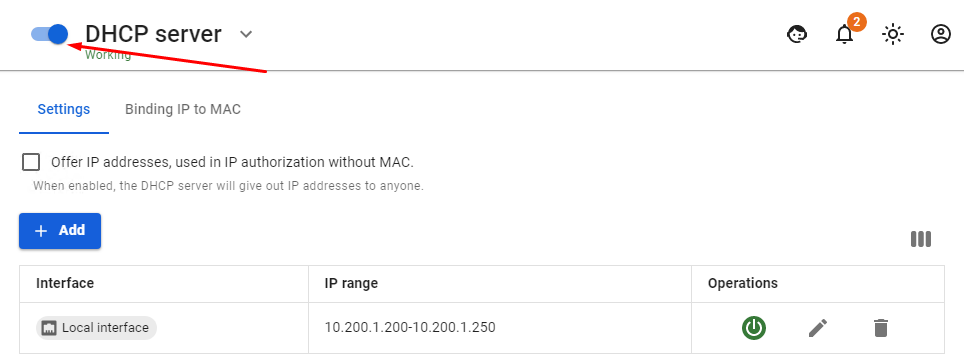](https://docs.safedns.com/uploads/images/gallery/2022-09/4GVnFpWuRon48tlE-2-dhcp.png) --- #### Configuring DHCP server with IP Binding to MAC To configure the binding of the IP address to the MAC address in the DHCP server, follow these steps: 1\. In the section **Services -> DHCP server** select the tab **Binding IP to MAC. [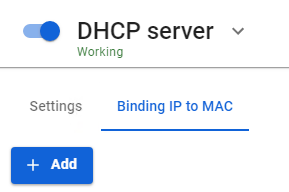](https://docs.safedns.com/uploads/images/gallery/2022-09/aGziL4gU8nSe361W-3-dhcp.png)** 2\. Create an **IP**-**to-MAC** binding rule: [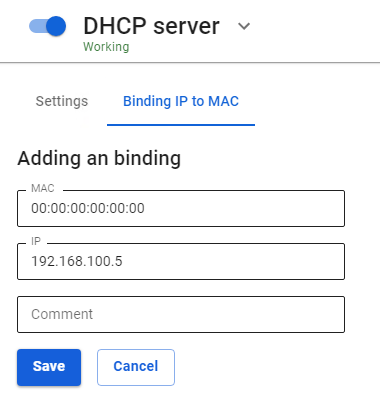](https://docs.safedns.com/uploads/images/gallery/2022-09/yxlsEEIpLSxZVjkE-4-dhcp.png) An example of the created binding rule is shown in the screenshot below: [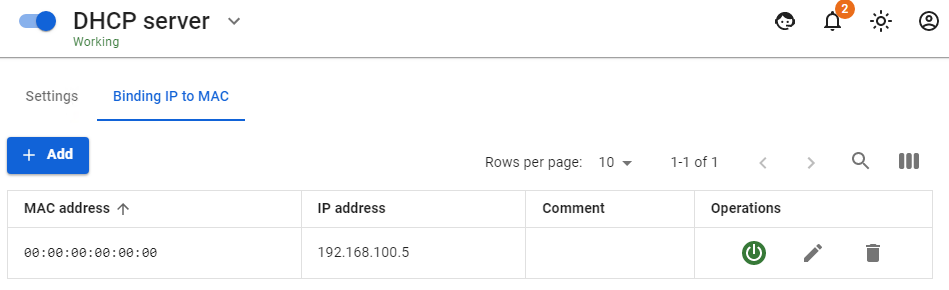](https://docs.safedns.com/uploads/images/gallery/2022-09/JSAWmKoAAh8v8REH-5-dhcp.png) To check the created rule, on the computer with the MAC address specified in the rule, get an IP address via DHCP and check the result using the command `ipconfig /all`**Tips for configuring clients** Some devices provide a MAC address with hyphenated octets ( 01-02-03-04-05-06 ). In the SafeUTM settings, MAC address octets are separated only by colons ( 01:02:03:04:05:06 ). Therefore, be careful when coordinating the settings of client devices and the DHCP server on SafeUTM.