# Policies
The principles of operation of the sections **Firewall**, **Application Control**, **Content Filter**, and **Traffic Shaping** with connected UTM are identical. Consider it using the **Firewall** section as an example.
---
#### Firewall
The Safe Center firewall contains only FORWARD and INPUT tables.
An example of adding rules in Safe Center:[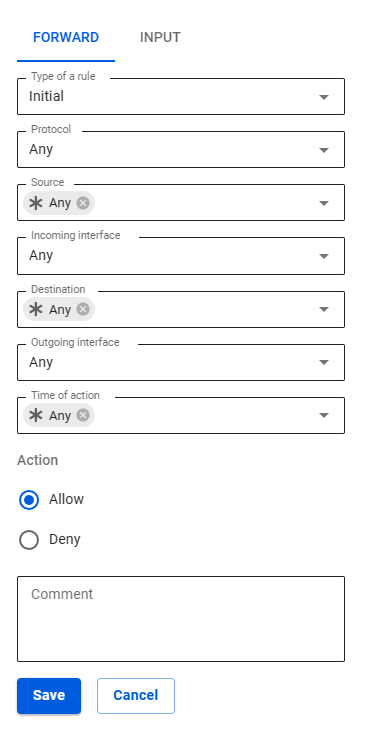](https://docs.safedns.com/uploads/images/gallery/2023-04/2sEfXHzdhtUJgDGU-screenshot-222.png)
---
##### In Safe Center
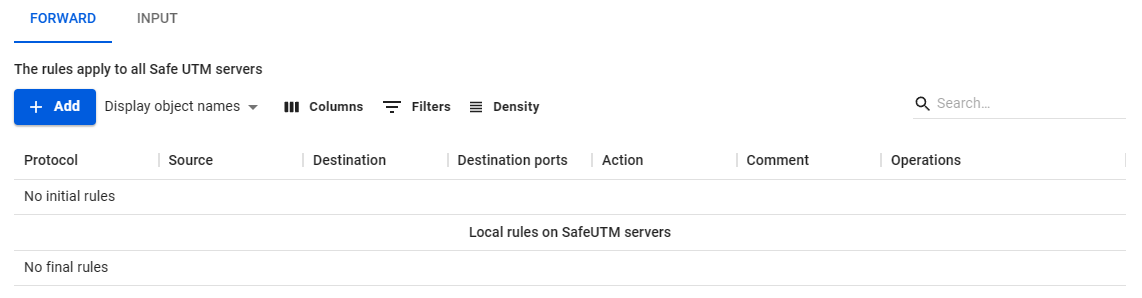
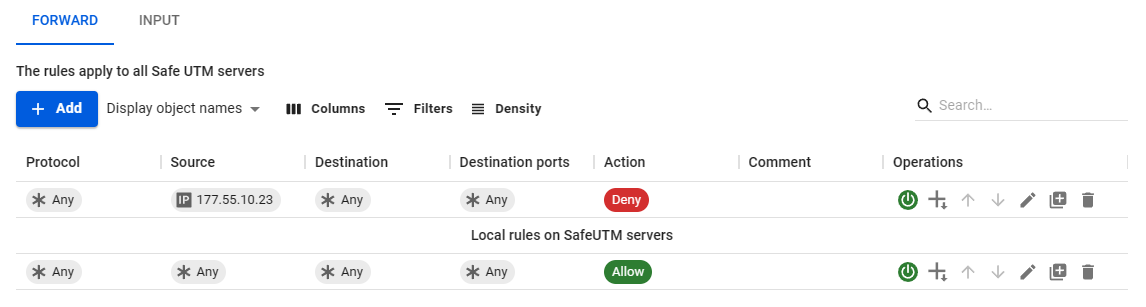
The Forward rules created in Safe Center are displayed in two tables: **Initial** and **Final**. These tables are divided by **Local Rules on SafeUTM servers**.
**An example of an empty table:**
[](https://docs.safedns.com/uploads/images/gallery/2023-04/Gt05ymXVwDJcj2tm-screenshot-229.png)
**An example of a completed table:**
[](https://docs.safedns.com/uploads/images/gallery/2023-04/mMi83CF9Uq1zdS3x-screenshot-228.png)
**Local rules on SafeUTM servers** are not visible in the Safe Center interface. To view, go to the **Servers** section, click on the eye icon in the line with the required SafeUTM, and go to the **Firewall** section.
In order for the created rule to be included in the **Initial rules** table, specify the Initial value in the **Rule type** line. If you want to place the rule in the **Final rules** table, select the **Final** value.
You cannot move rules between the **Initial rules** and **Final rules** tables.
---
##### In SafeUTM
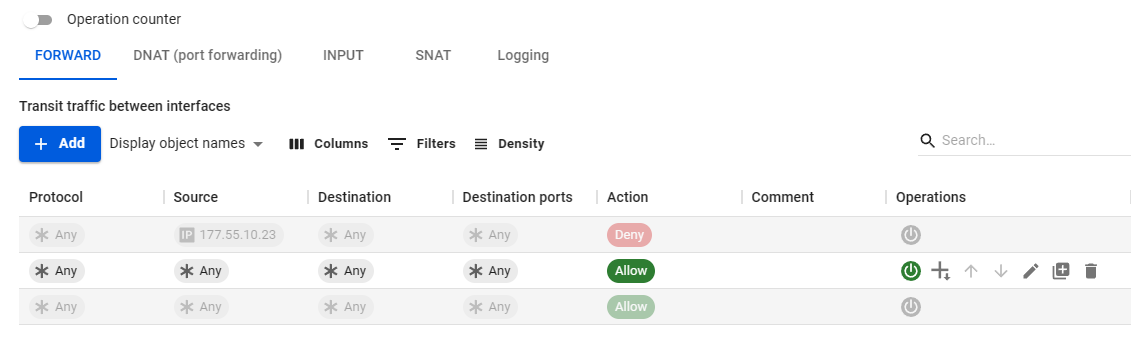
The table in SafeUTM is visually divided into three parts: top, middle, and bottom.
[](https://docs.safedns.com/uploads/images/gallery/2023-04/oqvquKdZCz5bDO61-screenshot-225.png)
The rules from the connected Safe Center are transferred to the upper and lower parts. These rules cannot be managed in SafeUTM. The top part corresponds to the **Initial rules** table in the Safe Center. The lower part - the table **Final rules.**
The middle part is created by the UTM administrator in UTM itself and is not visible in the Safe Center interface.