Updating the server is possible exclusively over the network. It is not possible to upgrade using an installation disk or USB flash drive.
--- #### Automatic Update Automatic update parameters are configured in **Server Management -> Automatic update**. - Field **Defer update** – the time for which the update will be postponed (maximum period of 6 months). - Field **Day of week** – the day of the week when the automatic update is launched. - Field **Auto reboot time** – allows you to select the time to start automatic updates. - Field **Update channel** – select **Release** or **Beta** channel allows you to update to stable versions. The **Beta** channel allows you to update to the latest beta versions of the product (the versions are relatively stable, but in some cases, the product may not work correctly). By default, the **Release** option is selected. - Button **Start update** – starts the forced update mechanism. If the button is inactive, there are no updates for your version.When initiating a forced update, the update will be downloaded, after which a full reboot of the server will be required.
[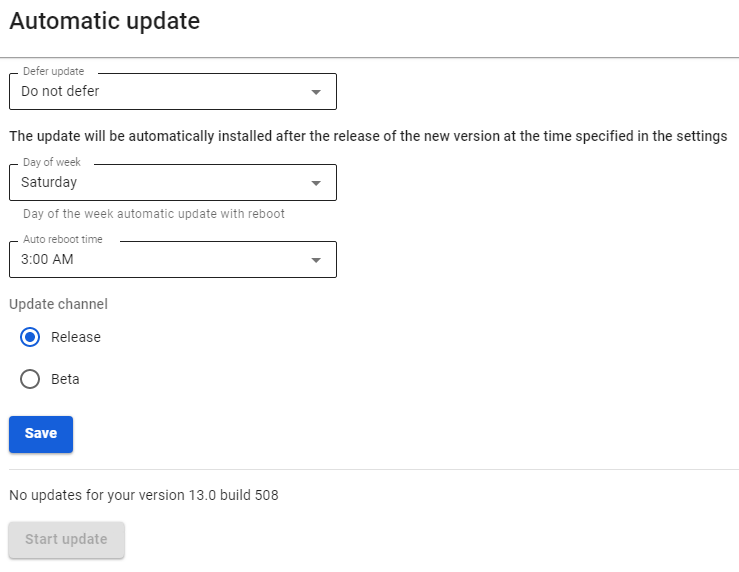](https://docs.safedns.com/uploads/images/gallery/2022-09/ajWPMPDhEV2jlV4p-1-server-update.png) After the update procedure, the new version will be displayed in the upper-left corner of the local console and the administrator web interface.