This feature is not available for the Safe Home and Basic plans.
- Network Address Translation or NAT is frequently used in corporate networks. It allows network owners and administrators to: • decrease the number of static IPs • secure local networks • prevent unwanted external access to the local hosts • hide the entire internal network structure **NAT DNS** is a SafeDNS service feature designed to apply different filtering policies to different networking hardware (routers, gateways, etc.) behind NAT with one public IP.Your networking hardware should be set up according to the SafeDNS instructions.
[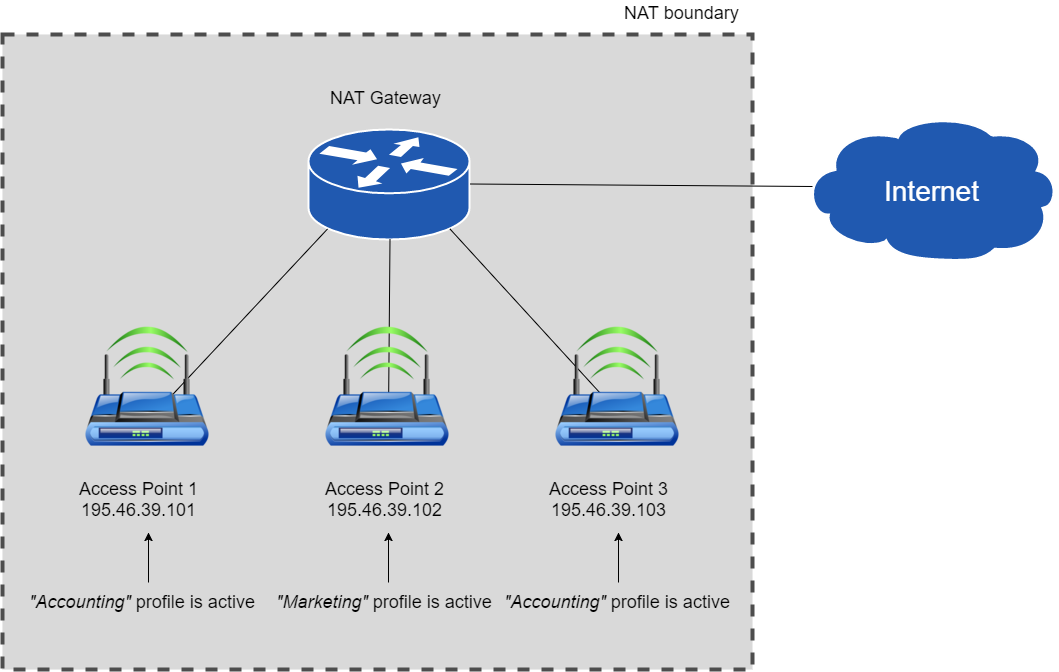](https://docs.safedns.com/uploads/images/gallery/2022-08/qUL6Dz5F01j0PhjU-1-nat-dns-setup-guide.png) --- #### NAT DNS setup 1. Enter the **Dashboard > Settings**. Assign the **Public IP** of a NAT device to one of the existing filtering policies under the “IP addresses / DynDNS” section. (to use NAT DNS you must have 2 or more policies). 2. Manually or via DHCP set up the **target DNSes** on the end devices (routers or gateways behind NAT). List of target DNS addresses:***195.46.39.101 195.46.39.102 195.46.39.103 195.46.39.104 195.46.39.105*
3. In the **Dashboard > Settings**, scroll down to the bottom, and assign policies to the **Target IPs** (one IP = one policy). Click on the green checkmark to apply settings.[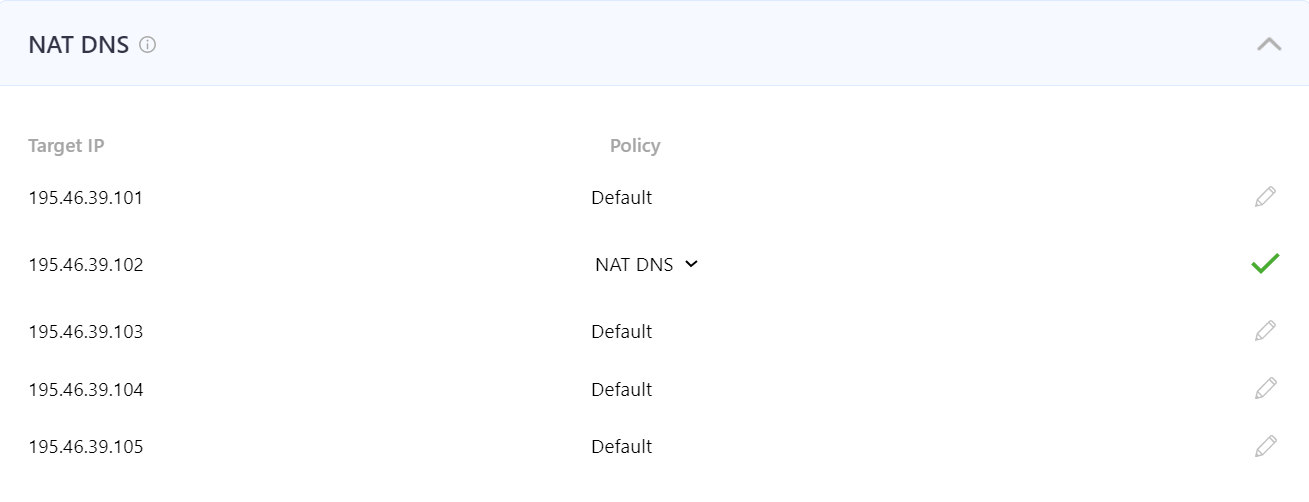](https://docs.safedns.com/uploads/images/gallery/2024-08/tNmfrTRXqOMdQdlU-1-nat-dns.png) After that, all devices behind NAT will be filtered by the chosen policy. You can view the stats for each **Target IP** by selecting its policy in the **Stats** tab.This feature works only for networks behind NAT. If you use a proxy server, the NAT DNS filtering option will not work, because in proxy server’s settings will be applied instead.
Please note that settings take 5-7 minutes to apply. Stats and filtering status update every 10 minutes.