# Verizon Router Setup
#### **Router with Static IP address configuration**
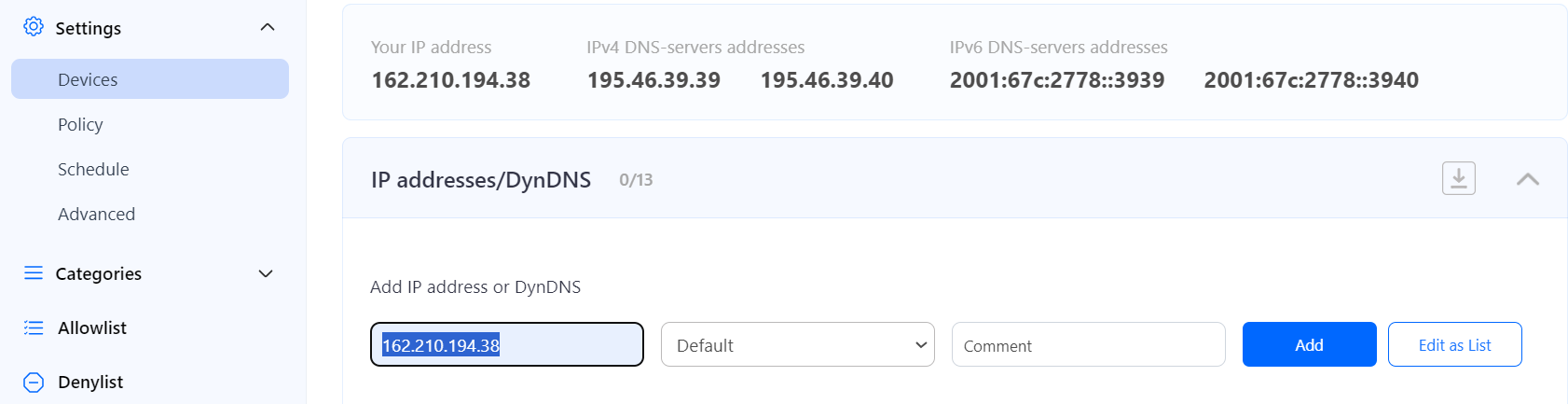
1\. Go to SafeDNS **Dashboard > Settings > Devices** and copy your IP address to the "**IP addresses / DynDNS**" box, choose a policy, and click "**Add**".
[](https://docs.safedns.com/uploads/images/gallery/2024-08/ksLVlEkmxlLYHDTL-1-verizon-router.png)
2\. Locate the network configuration on your router and set the SafeDNS server- 195.46.39.39 and 195.46.39.40
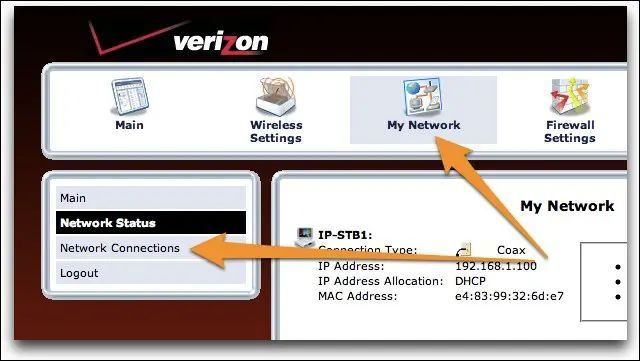
To do that, click on the icon My Network and browse the Network Connection option:
[](https://docs.safedns.com/uploads/images/gallery/2023-03/TNU8eoj7UtKfLSef-image-1679334841427.png)
My Network > Network Connections
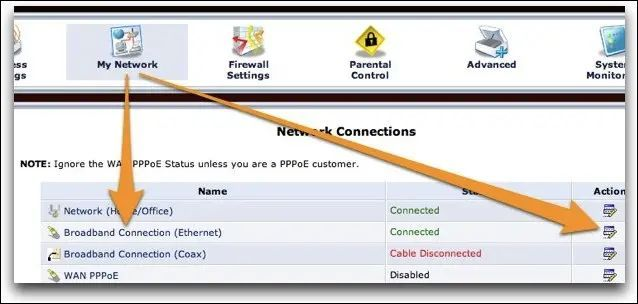
3\. Locate in the connection list the Broadband Connection with the status: Connected:
[](https://docs.safedns.com/uploads/images/gallery/2023-03/AbDcc691TIrNGGYY-image-1679334863899.png)
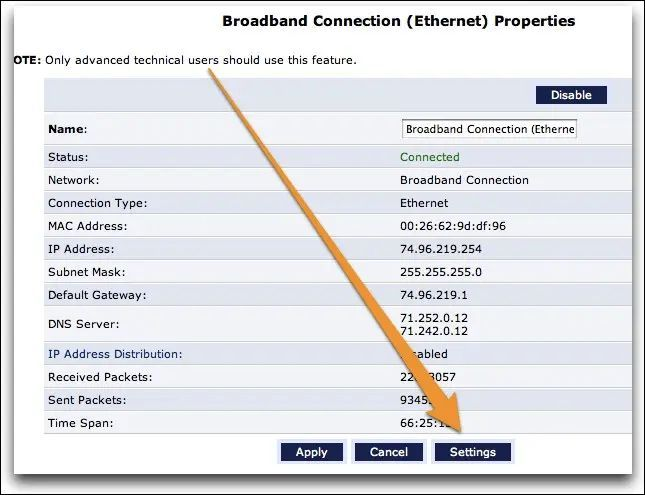
On the next screen locate the Settings button and press it:
[](https://docs.safedns.com/uploads/images/gallery/2023-03/tVJJu15EtUxgEqkj-image-1679334880774.png)
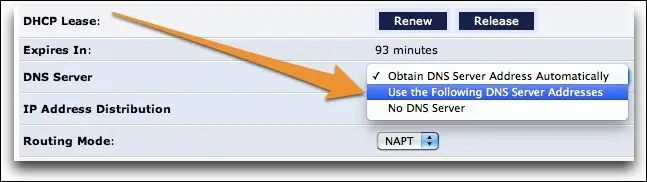
4\. Change the DNS server option by selecting the “Use the Following DNS Server Addresses”
[](https://docs.safedns.com/uploads/images/gallery/2023-03/gn2xzAqSSTSJiRDW-image-1679334900507.png)
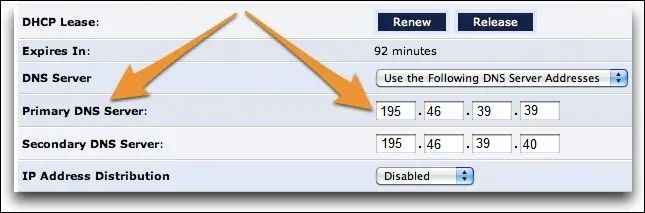
5\. Once the option is changed, the fields are activated where you can set the SafeDNS DNS servers:
[](https://docs.safedns.com/uploads/images/gallery/2023-03/3tgZZp1uDO5GmeTA-image-1679334915568.png)
195.46.39.39 and 195.46.39.40.
**You have successfully configured your router.**
Please note that settings take 5-7 minutes to apply.
Stats and filtering status update every 10 minutes.