
Channel Aggregation & Failover
Configuring channel redundancy,failover, static and dynamic balancing.aggregation.
If you have multiple connections to Internet service providers, you can use them in the following ways:
RedundancyFailover of one connection so that when it is disconnected, traffic goes through other available connections.- Static
balancingaggregation of traffic between multiple connections. With it, some users of the local network will access the Internet through one provider, some through another. - Dynamic
balancingaggregation of traffic between multiple connections. With it, connections will switch alternately depending on the load, and sessions from all users will be evenly distributed between them.
Preparation
Create an additional connection to the Internet provider. The process of creating connections is described in the article on Ethernet connection. Thus, the server must have at least two Internet connections.
To work with traffic in SafeUTM, it is important to consider two things: routing and NAT. This applies to both balancingaggregation and redundancy.failover.
Channel Redundancy
To set up redundancy, go to Services -> BalancingChannel andAggregation & Failover redundancy and select the RedundancyFailover mode.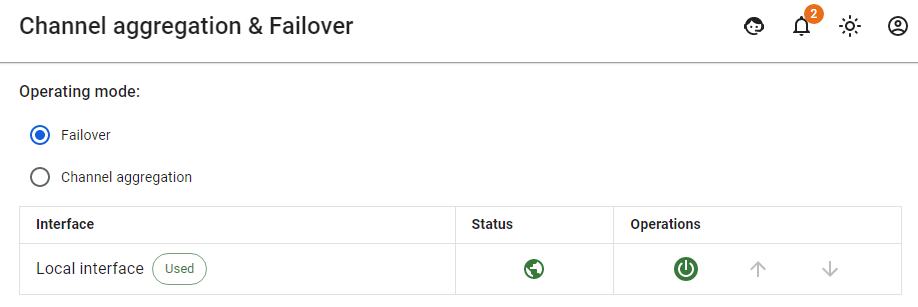
- The priority of using connections is set by their order in the table, from top to bottom. The connection that is currently in use is marked with tag In use.
- To change the priority, you can use the corresponding controls (arrow icons).
- If the Internet has become unavailable through the connection used, the system will switch to a higher priority one that has access to the Internet.
Access to Internet via Specific Connection to Provider (Static Balancing)Aggregation)
Such scheme of connection to several Internet service providers is often used in the following cases:
- When some resources on the Internet are cheaper to visit through another Internet provider and traffic needs to be routed through it.
- When it is necessary to grant access to the internal networks of one of the providers to certain users or groups of users.
To configure this connection scheme, follow these steps:
Example of a rule:
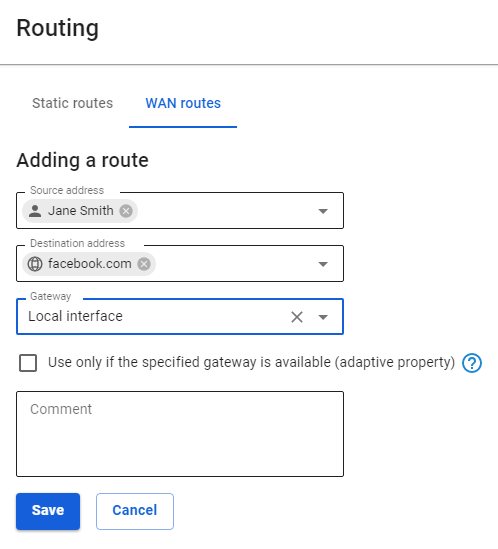
In this example, traffic directed to facebook.com from user JohnJane Smith will be directed through the connection to provider ConnectionLocal to provider No1.interface.
Load BalancingAggregation Across Multiple Connections (Dynamic Balancing)Aggregation)
To configure this connection scheme, follow these steps:
- Go to Services ->
BalancingChannelandAggregationRedundancy& Failover. - Select the operating mode
BalancingChannel Aggregation.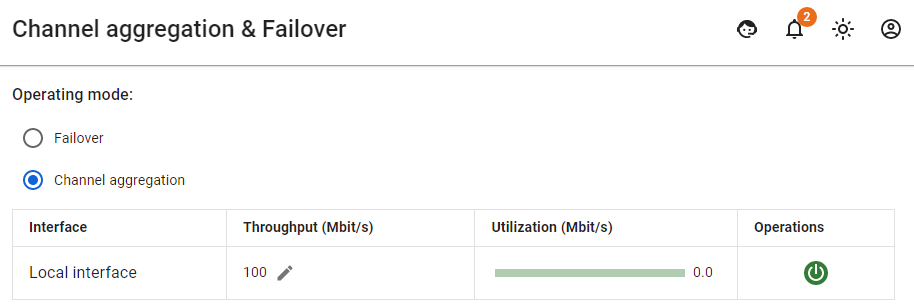
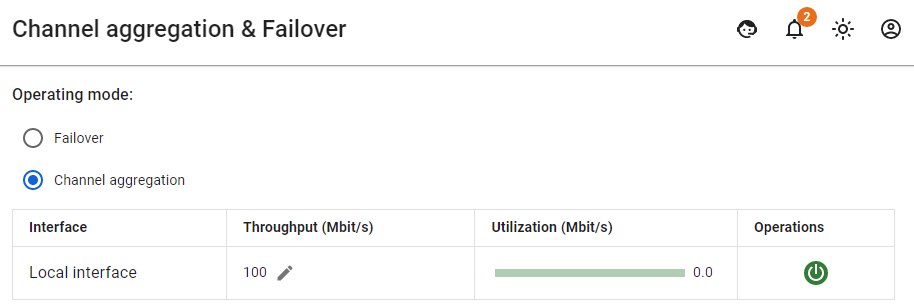
To evenly distribute sessions between connections, you must specify the value Bandwidth – the maximum Internet speed according to the tariffs of your providers. By default, the bandwidth is set to 100 Mbit/s. The server will automatically balance traffic depending on the load of connections.
You do not need to create routes or perform any other settings to balance traffic. Proxy server traffic will also be balanced automatically.