Rules
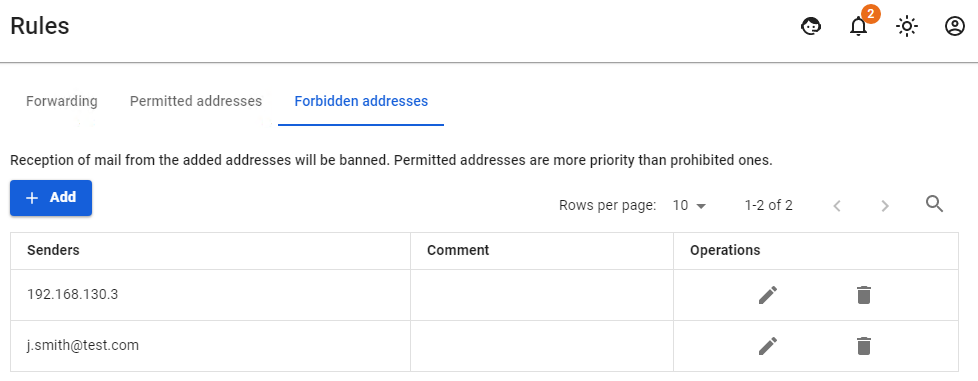
Rules section consists of three subsections: Forwarding, AllowedPermitted Addresses,addresses, ProhibitedForbidden Addressesaddresses.
Forwarding
Allows you to configure mail forwarding on the server using mail aliases. Aliases, unlike mailboxes, do not require logins and passwords, they are assigned to a mailbox and serve as its copy with a different name, or, if an alias is assigned to several mailboxes, it can serve as a mailing group. Mail incoming to the alias is automatically forwarded to all real mailboxes associated with this alias. If forwarding is done to a mailbox in another domain on the Internet, then the mailbox registered in Recipient column must actually exist.
You can read more about setting up mail aliases on SafeUTM in article Mail forwarding.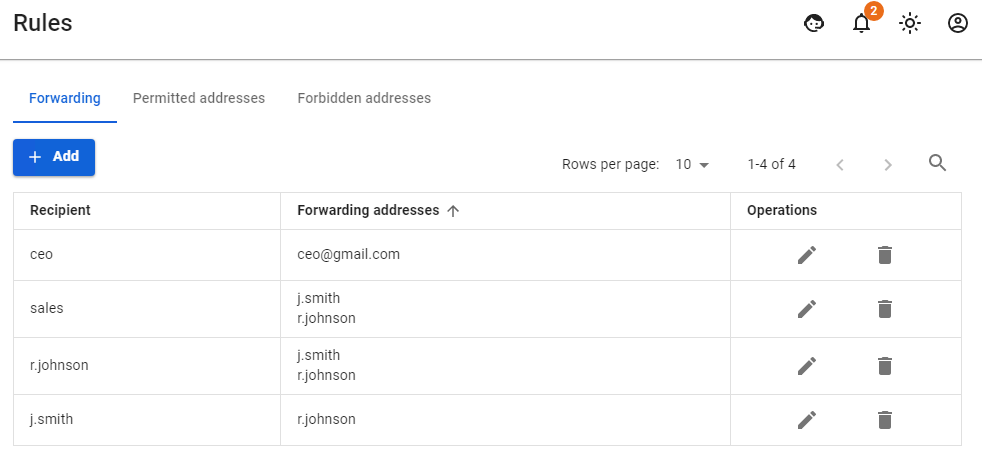
AllowedPermitted addresses
Allows you to specify mail domains, IP addresses of mail servers and mailboxes, emails from which will not be checked for spam.
If the mailbox is simultaneously specified in ProhibitedForbidden addressaddresses and AllowedPermitted addressaddresses, then AllowedPermitted address has the highest priority.
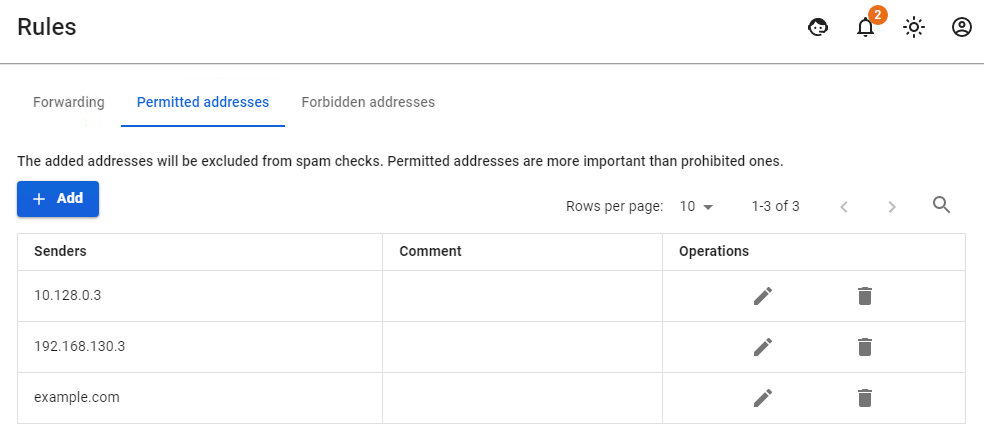
When you add overlapping sources to both lists, there is no correlation between the sources. Priority will be given first to IP addresses, then to mailboxes and then to domains. That is, if the IP address of the mail server is prohibitedforbidden and the domain it serves is allowed,permitted, then emails from it will be blocked (blocking by IP address is prioritized). Reverse example: An IP address is allowed,permitted, but a domain is prohibited.forbidden. Emails are blocked, just at a later stage, when checking the mail domain.
Another example: the domain is in AllowedPermitted addresses, a mailbox from this domain is in ProhibitedForbidden addresses, then emails from the mailbox will be blocked.
Reverse example: emails from a mailbox listed in AllowedPermitted addresses will be allowed even if the domain that the mailbox belongs to is listed in ProhibitedForbidden addresses.
The scheme of letter processing in the mail server is presented in article Mail traffic filtering scheme. Please note that AllowedPermitted and ProhibitedForbidden addressesaddressess are triggered after several preliminary filtering steps.
ProhibitedForbidden Addressesaddresses
Allows you to specify mail domains and mailboxes from which emails will not be accepted by the server.